The invoices page now gives you full control over your billing workflow.
Filter by status — draft, sent, partial, paid, or overdue — and search across all invoices instantly.
Drill into any invoice to see line items, tax breakdowns, payment history, and the full settlement summary showing what's been received and what's still outstanding. Record payments, download PDFs, duplicate, or add notes — all from one screen.
How to get started
- 1Go to Invoices from the left sidebar
- 2Click New Invoice, fill in the client, line items, taxes, and due date
- 3Press Save to create the invoice as a draft
- 4Use the status filters at the top to find invoices by status
- 5Click any invoice to view its detail — line items, settlement summary, and payment history
- 6From the detail view, record a payment, download the PDF, or add notes
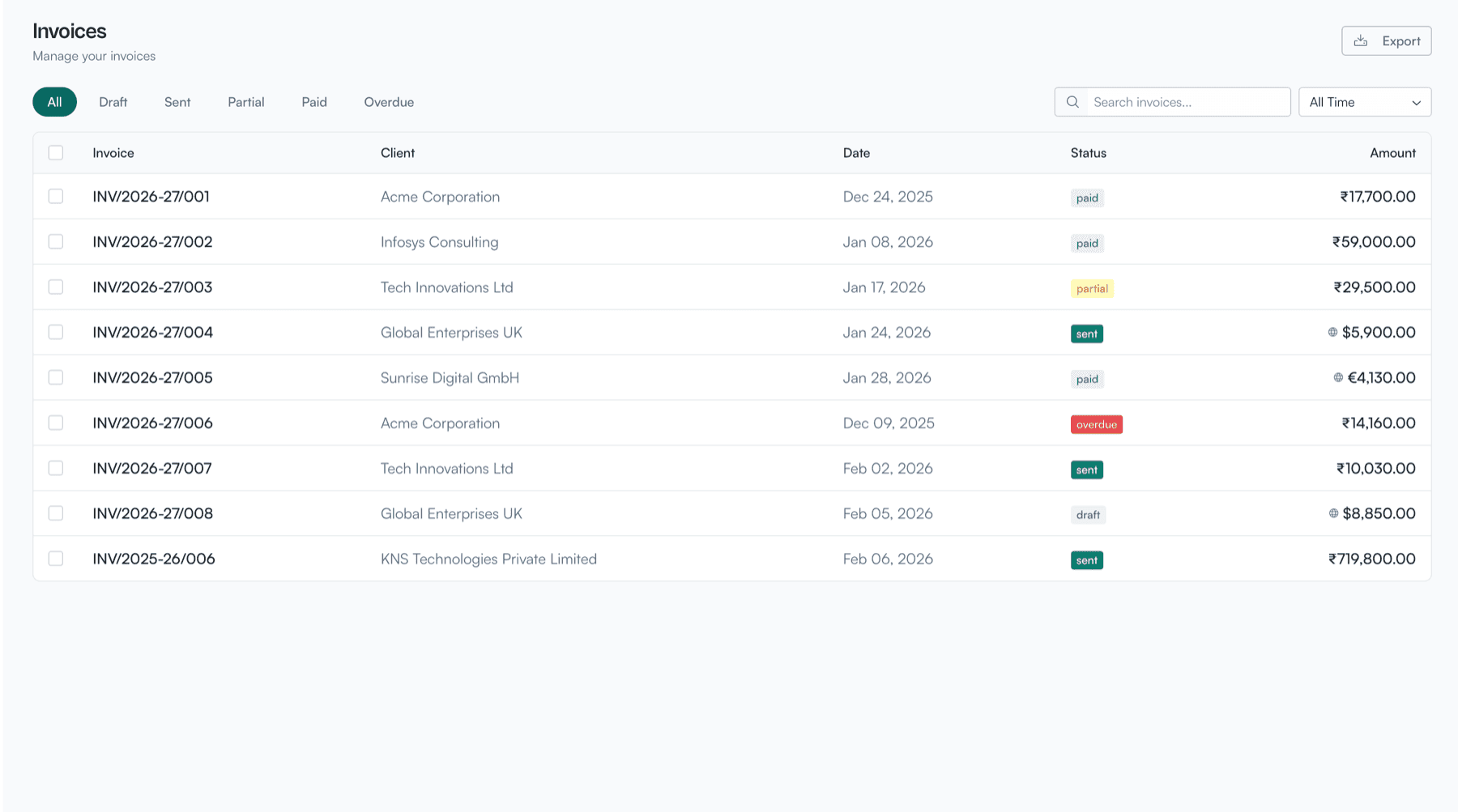
Invoices list with status filters, search, and export functionality
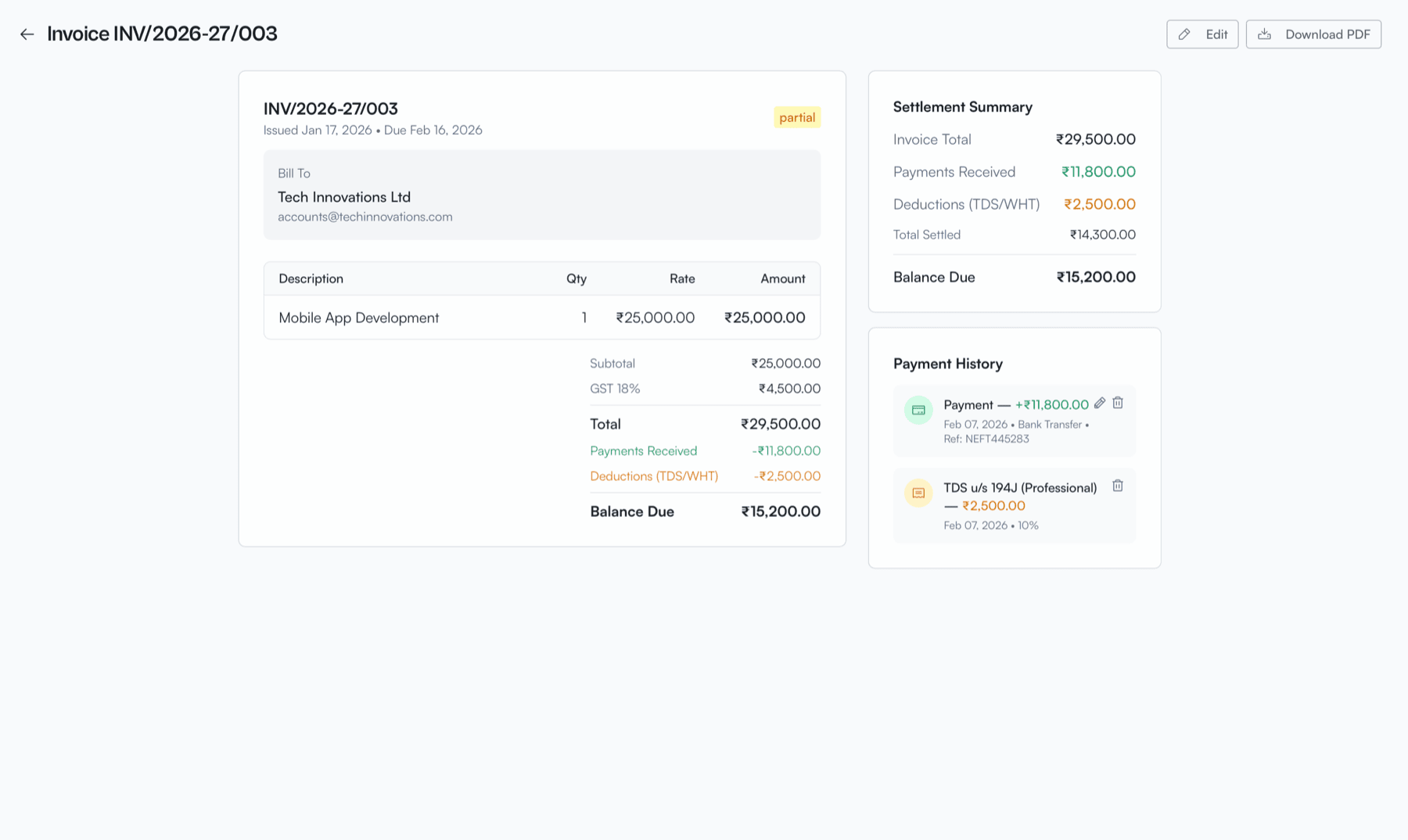
Invoice detail view with line items, settlement summary, and payment history