Your new home screen gives you a bird's-eye view of your business finances.
See outstanding invoices, net income, total received, and total invoiced at a glance. The forex summary highlights foreign invoice performance and gain/loss.
Below, interactive charts cover outstanding invoice aging, top clients by revenue, cash flow over time, income overview, expenses by category, and revenue by country.
How to get started
- 1Open VoxInvoice — the Dashboard is your home screen
- 2View KPI cards at the top for outstanding, net income, received, and invoiced totals
- 3Check the forex summary for foreign invoice performance and gain/loss
- 4Scroll down to explore interactive charts — aging, top clients, cash flow, and more
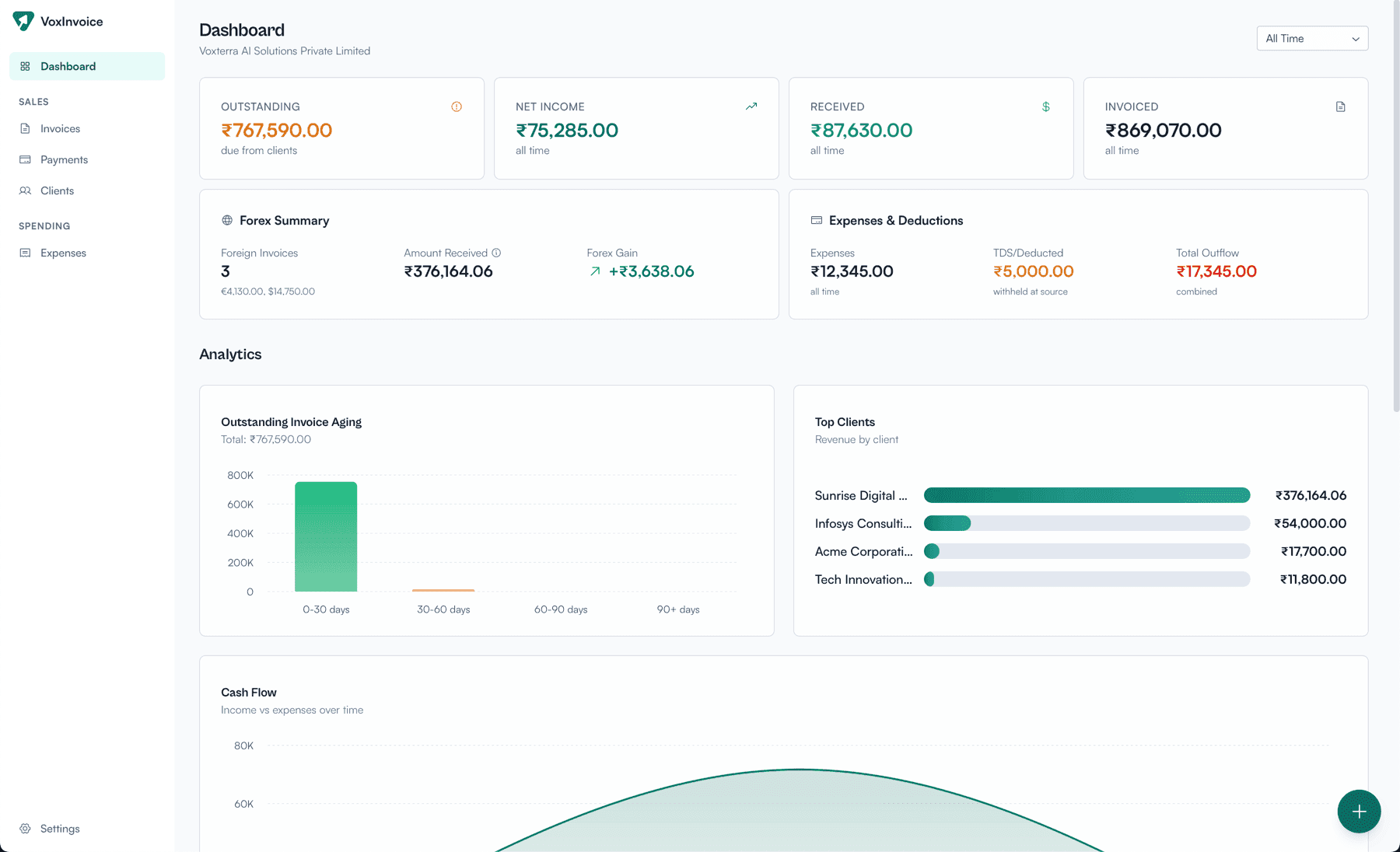
Dashboard showing KPIs, forex summary, expenses, deductions, and analytics charts
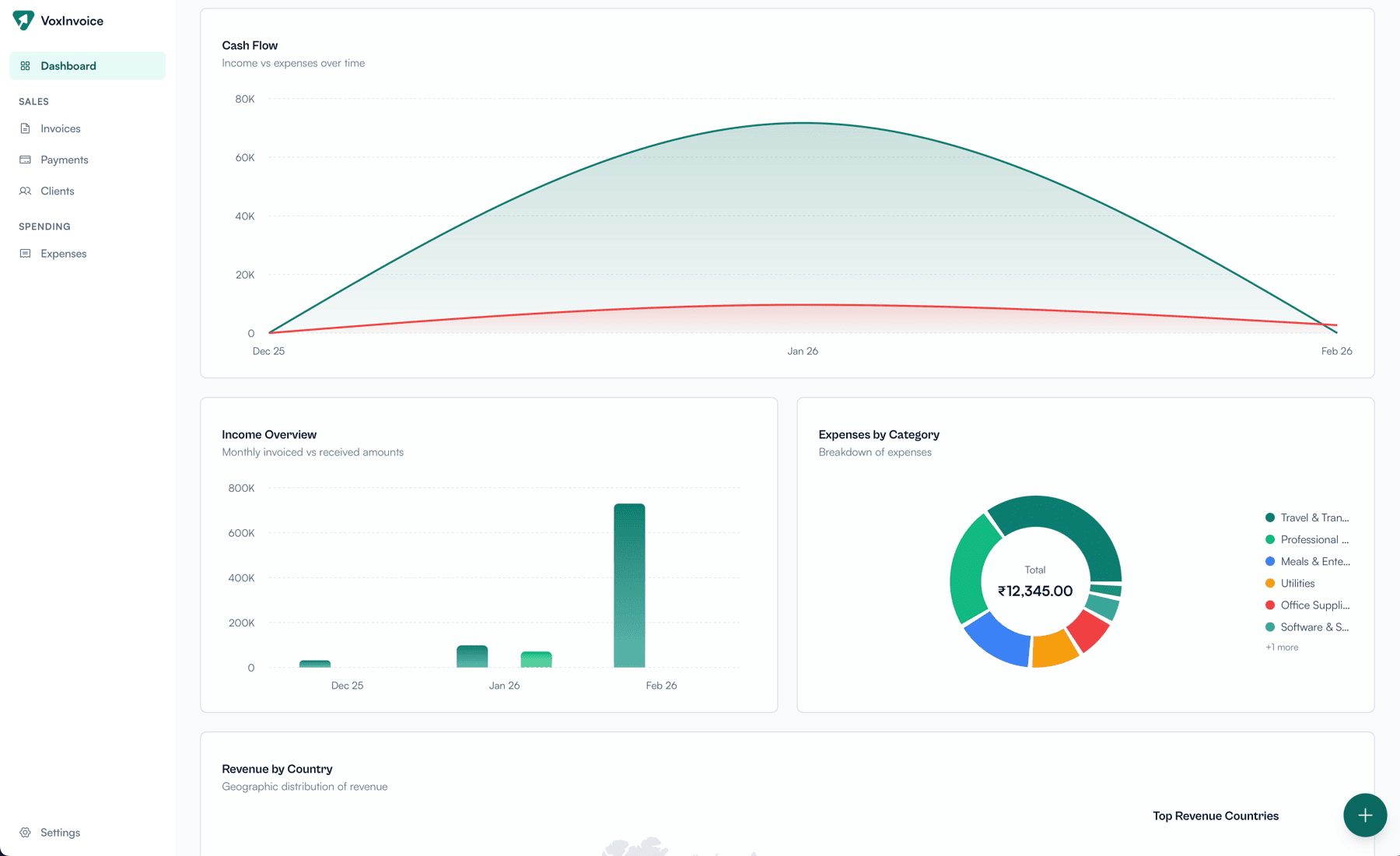
Cash flow chart, income overview, and expenses by category breakdown