Your invoicing subscription renews on autopay. The price has gone up — again. You haven't checked the new total in months because the email gets filed straight to “Receipts.”
Then the app pushes an update that puts your tax breakdown behind a higher tier. Your January invoice template doesn't render the same anymore. Support says they're “investigating.”
This is what cloud invoicing looks like in 2026 when the honeymoon ends. If your billing tool decides what features you keep, what data you can export, and what month your subscription doubles — you don't own your invoicing. You're renting it.
That's the case for moving to an Offline Invoice Software for Freelancers: not because the cloud is evil, but because for most freelance billing, none of the cloud's benefits actually apply, and all of the costs do.
What “Offline” Actually Means Here
VoxInvoice runs on your computer. The whole app — invoice generator, client list, expense tracker, tax math — sits in a single binary you download once. Your invoices live in a SQLite database file on your hard drive. No account. No sync server in the background. No “cloud edition” we're upselling you to.
The technical name for this category is a self-hosted billing app, except you're not really “hosting” anything. There's no server. The app launches the moment you double-click it, online or off.
For invoicing, this architecture matters more than for almost any other category of software. Invoicing is:
- Single-user — one freelancer, one set of books
- Document-centric — PDFs, not real-time collaborative state
- Low-volume — most freelancers send 5–50 invoices a month, not 5,000
- Highly private — every invoice is a financial record tied to a real client
None of that needs the cloud. A self-hosted billing app does the job with less complexity, less cost, and zero recurring fees. That's the entire premise of an Offline Invoice Software for Freelancers — match the architecture to the actual workload.
Killing the Subscription Math
The math on freelance invoicing subscriptions is darkly funny. Here's what the major cloud tools actually cost over five years:
| Plan | Monthly | 5-Year Total |
|---|---|---|
| Cloud Tool A — Starter | $15 | $900 |
| Cloud Tool B — Plus | $25 | $1,500 |
| Cloud Tool C — Pro | $33 | $1,980 |
| VoxInvoice (desktop) | $0 | $0 |
You will not invoice $1,980 worth of additional revenue because you paid for a fancier UI. You're paying for the right to keep accessing your own invoice history. A real no-subscription invoice maker breaks that loop.
VoxInvoice is free. There's no trial that converts. There's no “upgrade to export your invoices” wall. The desktop app stays free forever — that's a commitment in the product itself, not a marketing line.
Three things any honest no-subscription invoice maker has to do:
- 1No artificial caps on invoices, clients, or line items
- 2PDF export included, not premium
- 3Full data export to a portable format you can actually read
Without all three, “free” is just a longer trial. With all three, you have a no-subscription invoice maker you can actually depend on year after year.
Your Data, On Your Machine
This is the part that matters more than features.
Your business records — every invoice, every client address, every payment you've recorded, every expense receipt — sit in a single file on your computer when you use an Offline Invoice Software for Freelancers. Not on AWS. Not in a vendor's database with 50,000 other freelancers' records. On your laptop.
Private invoice data management isn't just a privacy talking point — it's a recovery story. If VoxInvoice the company disappears tomorrow, your database still works because the app still runs locally. You don't lose access. You don't have a 30-day grace period to download a CSV before everything goes dark.
In practice, private invoice data management in VoxInvoice looks like:
- A SQLite database in your app data folder — copy it, move it, back it up
- A one-click full backup that exports everything to a single JSON file
- A one-click restore on a new computer with the same JSON file
- No analytics. No telemetry. We don't see your invoices.
Real private invoice data management also means your clients' addresses, your hourly rates, and your monthly revenue numbers aren't training data for someone else's model. The fastest way to guarantee that is to never send the data out in the first place.
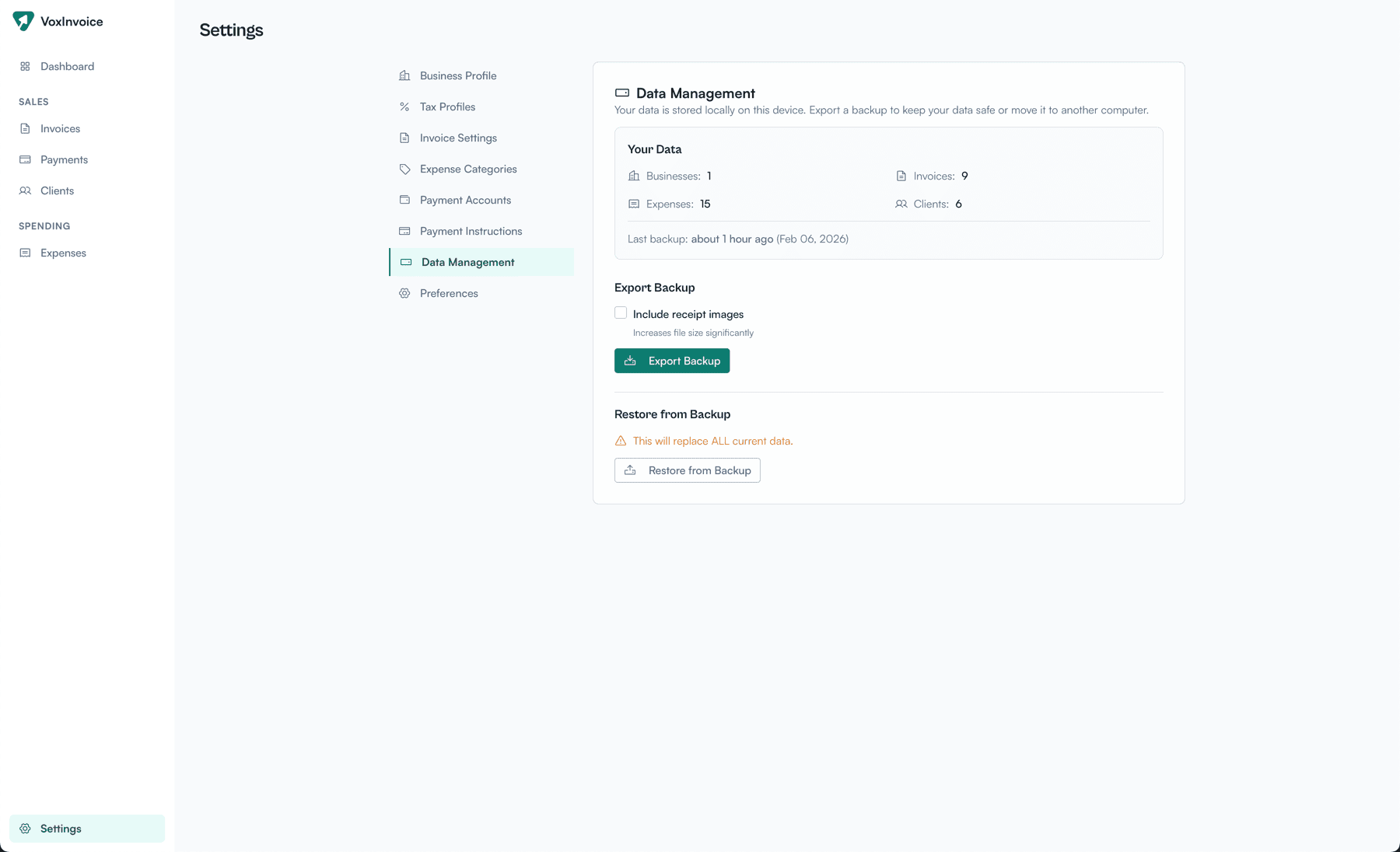
The database is a file on your computer. Backup, restore, move — all one click each.
That's the difference between a tool that hosts your data and one that lives on the same machine you do. Private invoice data management is the default, not an enterprise checkbox.
Freelance Billing Security, Honestly
Freelance billing security isn't really about hackers. It's about the boring stuff: backups, recovery, and not losing six months of invoice history because a vendor changed their pricing or got acquired.
When your invoicing is offline, the threat model shrinks. A cloud breach can't expose what was never uploaded. A pricing change can't lock you out of data you can already see on disk. Most of freelance billing security becomes “back up your laptop,” which you should be doing anyway.
There's still a security story for the local app — your computer is a target. Three practical things you can do that the cloud version of freelance billing securitycan't offer:
Encrypt the disk, not just the app
The whole VoxInvoice database can live on FileVault (macOS) or BitLocker (Windows) without breaking anything. One-time setup, no key management on top.
Export only what you need to share
A PDF goes to a client. A JSON backup goes to your accountant. You decide what leaves the machine and when — there's no continuous sync uploading everything in the background.
No account, nothing to phish
There's no password to reset, no “sign in to view your invoices” flow. That removes an entire class of attack from your freelance billing security surface.
For a freelancer, that's a far simpler freelance billing security posture than “trust that vendor X has good ops and their last SOC 2 audit was thorough.”
GST, VAT, and Regional Taxes — Done Locally
Most invoicing tools assume you're in one country. The minute you cross a border or charge a tax that isn't sales tax, things get weird.
VoxInvoice ships with GST/CGST/SGST/IGST for India, VAT for the UK and UAE, and configurable tax for everywhere else — calculated locally. That's the practical meaning of GST compliant offline billing at the freelancer scale: correct CGST/SGST splits on the invoice PDF, intra-state vs inter-state logic when you set the place of supply, HSN/SAC fields when you need them.
Worth being precise here: VoxInvoice is not an IRP/e-invoicing integration. If your turnover crosses the threshold where you need IRN and QR-code e-invoicing for B2B sales, that's a separate filing. For most freelancers under that threshold, GST compliant offline billing at the document level is what you actually need — the tax math is correct, the PDF format is right, and the numbers your accountant gets for GSTR-1 are clean.
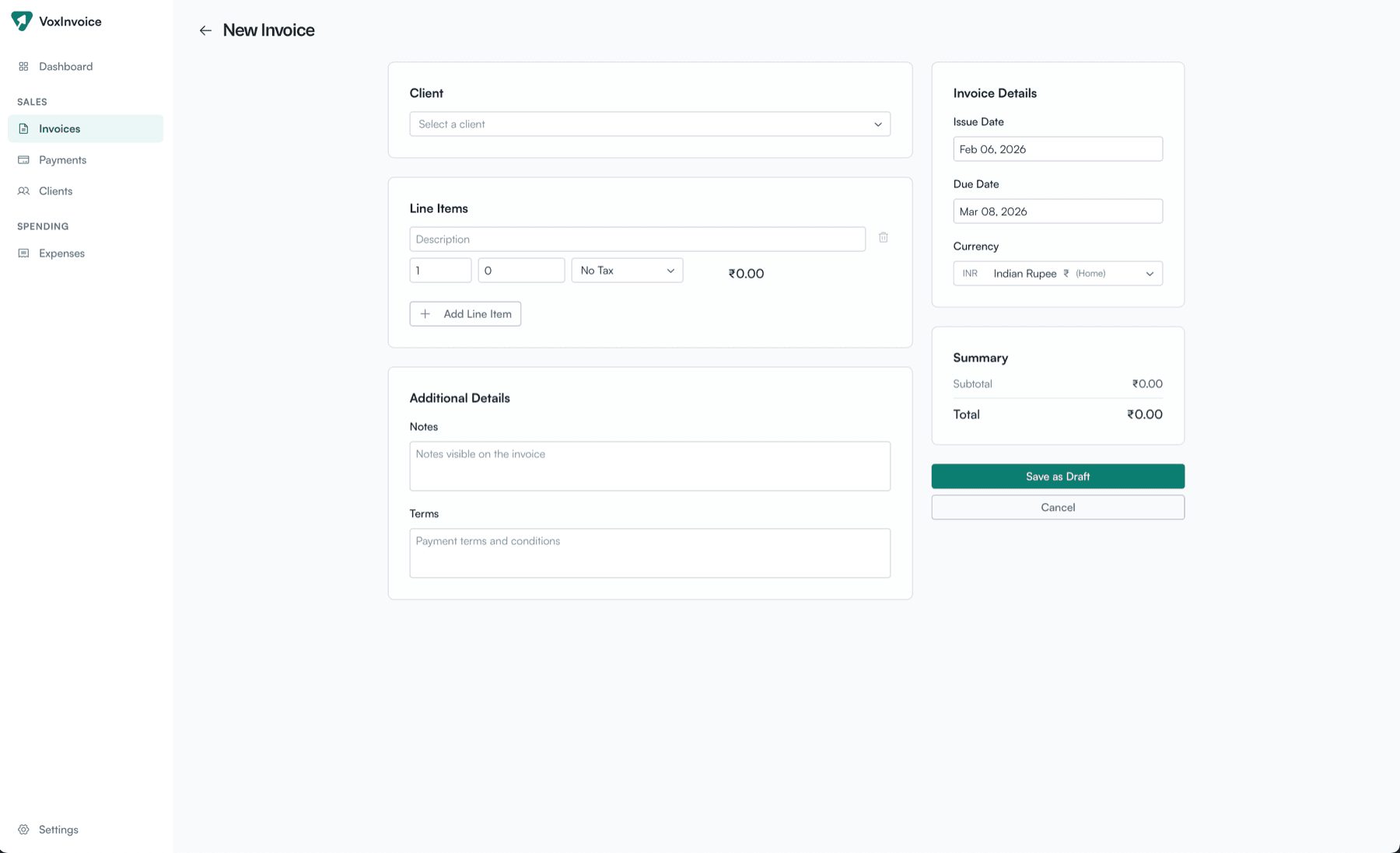
Place of supply, HSN, CGST/SGST split — all configured per business, all offline.
GST compliant offline billing matters most when your connection isn't. Generate an invoice from a hotel WiFi that drops, from an airport, from a beach — the calculation runs on your CPU. Nothing breaks because nothing is calling a server.
And because the tax engine runs locally, you don't pay for it. There's no “GST module” add-on. It's a property of the document, not a SKU. GST compliant offline billing belongs in the base product, and in a real Offline Invoice Software for Freelancers, it is.
What Offline Doesn't Do
A real comparison includes the trade-offs:
- No real-time team collaboration. If you're a team of 3+ all editing invoices, you'll want a cloud sync layer. VoxInvoice Plus (coming) will add this.
- No automatic device sync. Your invoices live on one machine. Want them on a second computer? Export, copy the file, restore. Deliberate, not continuous.
- No client portal. Clients receive PDFs, not a login link. For freelancers this is usually a feature; for agencies running 50 active clients in parallel, it's a limit.
- You handle backups. Time Machine, Dropbox, an external drive — pick one. The app gives you a single-file backup, but it's your job to keep it somewhere safe.
If those trade-offs sound like reasons not to use an Offline Invoice Software for Freelancers, you probably want cloud. If they sound like simplifications, you're in the right place.
What VoxInvoice Gives You — for Free
Unlimited invoices and PDFs
No 3-per-month cap. No “upgrade to export.” Generate as many as your year demands.
40+ currencies with live forex
Bill in USD, EUR, GBP, AED, INR, and more. Record payments at the actual exchange rate and track forex gain/loss against your home currency.
Real regional tax handling
GST with CGST/SGST/IGST splits for India. VAT for the UK and UAE. Configurable rates and labels for anywhere else.
Expenses with receipts
Log expenses, attach receipt photos, mark items as billable, pull them straight into the next invoice.
Payment + TDS tracking
Partial payments, TDS deductions, bank references. Know what you invoiced and what you actually received, separately.
Full JSON backup and restore
Everything you've entered, in a single file. New laptop? Restore. Cautious? Keep a copy. Your data, your control.
Common Questions
Can I send invoices to clients without internet?
The PDF generates locally. To email it, you obviously need a connection — but the document is fully ready offline. A self-hosted billing app doesn't need to phone home to draw a PDF.
How do I back up for freelance billing security?
Use VoxInvoice's JSON export (Settings → Data Management) and combine it with your OS-level backup — Time Machine on macOS, File History on Windows. That's the whole freelance billing security checklist.
Is GST compliant offline billing legal for filing?
The invoice document itself is correct GST format with CGST/SGST splits, HSN/SAC, and place-of-supply logic. Whether you also need IRP-integrated e-invoicing depends on your turnover threshold — that's a separate filing concern from invoice formatting.
What happens to private invoice data management if I lose my laptop?
Restore from your JSON backup on the new machine. No accounts to recover, no support tickets, no waiting. The backup file is the source of truth.
Does it work on Mac, Windows, and Linux?
Yes — one download per platform from /download. No platform-specific features hidden behind a paid tier.
Will it really stay free?
The desktop no-subscription invoice maker is free forever. Cloud sync, team seats, and voice input will be paid (VoxInvoice Plus) because those have real ongoing costs. The single-user desktop app does not.
Why offline instead of just a cheaper cloud plan?
A cheaper cloud plan is still rented. An Offline Invoice Software for Freelancers is owned. That's a different relationship to your data, and over five years it's a different relationship to your money.
Try It
VoxInvoice is a free, offline-first Offline Invoice Software for Freelancers built for macOS, Windows, and Linux. No account. No card. No trial.
Own your invoicing.
Free forever. No subscription. Your data stays on your machine.
Download VoxInvoice — FreeQuestions? Reach us at hello@voxinvoice.com.